What Does the Yellow Icon on My YouTube Video Mean?
A yellow dollar sign appears next to a video you just uploaded, and the first thought is always the same one: have I been demonetized?
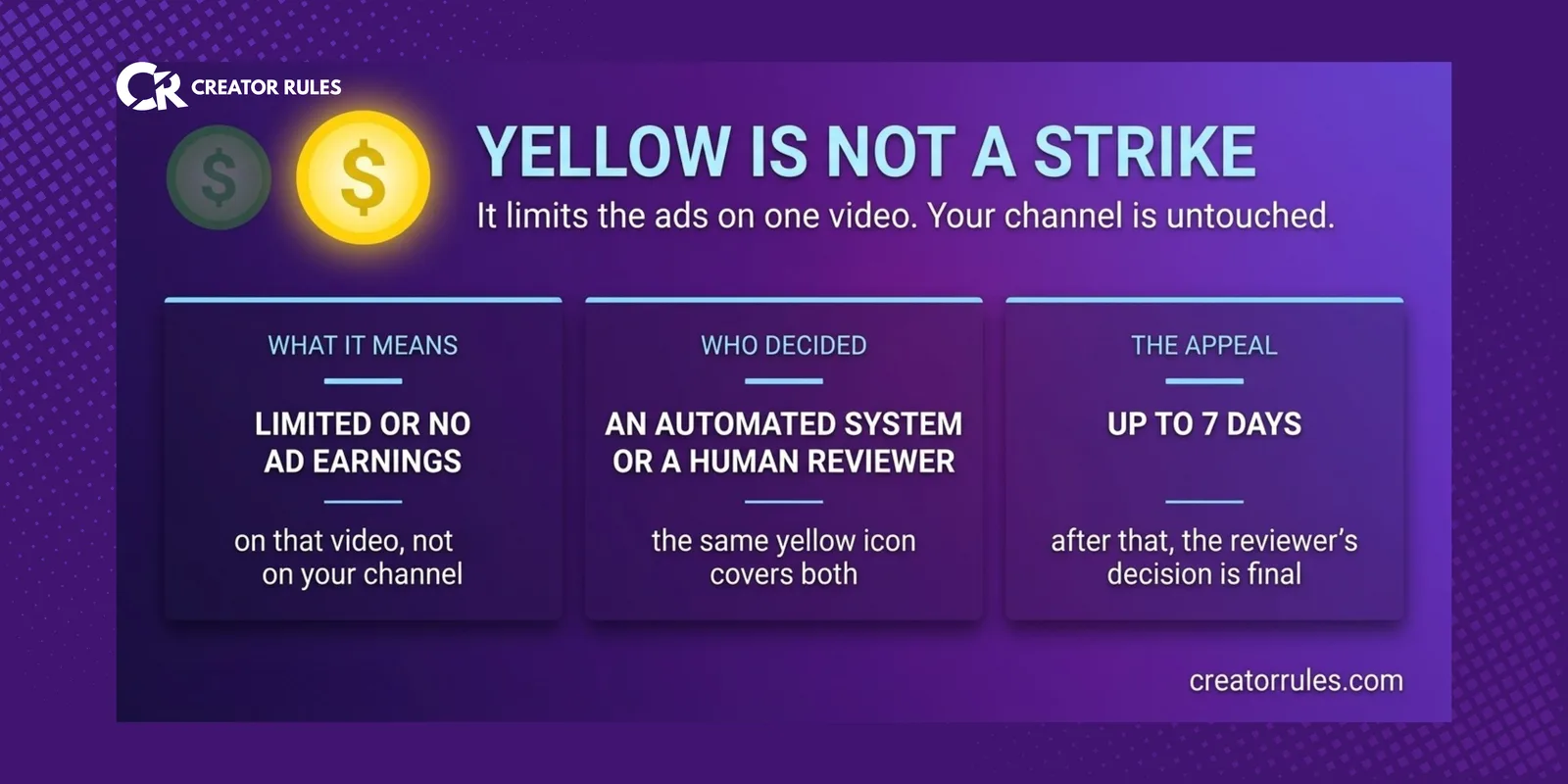
Almost certainly not, at least not in the way that phrase usually means. The yellow icon is a decision about one video’s advertising, not about your channel, your standing in the Partner Program or your right to earn. It also comes with a process that most creators never see, including a human review that starts on its own before anybody appeals anything.
What the yellow icon actually says
YouTube’s monetization icons describe the ad state of a single video. Yellow means one of two things: Limited ad earnings or No ad earnings. Some advertisers will not run on the video, or none will.
That is the whole claim. It is not a penalty, there is no counter being incremented somewhere, and nothing about it touches the rest of your library. Your other videos keep their own icons and keep earning exactly as before.
Yellow is not a strike, and the difference is structural
Strikes and monetization icons are two separate systems that happen to live in the same Studio.
A strike is an enforcement action against your channel. It has a lifespan, it stacks, and enough of them end the channel. Copyright strikes and Community Guidelines strikes are counted separately from each other, which is its own source of confusion and something we went through in copyright claims versus strikes.
A yellow icon is an advertising decision about one video. It does not stack, it does not expire, and it has no bearing on your Partner Program status. If you are worried about the program itself rather than one upload, that is a different question with different clocks, covered in demonetized versus rejected.
Who made the decision changes what you should do
This is the part worth reading twice, because the same yellow icon covers two different situations.
YouTube’s own wording gives both: the icon appears when “our automated systems think your content isn’t suitable for all brands”, or when “our human experts confirmed that your video doesn’t meet our advertiser-friendly content guidelines”.
If an automated system made the call, there is a human you can escalate to. YouTube says plainly that automated systems don’t always get it right, and you can request a policy specialist to make a final decision.
If a human reviewer already made the call, there is no second human behind them. That path is finished.
Studio tells you which of the two you are looking at. Reading that line before clicking anything is the difference between a sensible escalation and spending your one move on a decision that has already been made by a person.
The review that starts without you
Here is the part almost nobody knows, and it changes the timing advice completely.
A video that lands on Limited ad earnings or No ad earnings is automatically routed for additional human review. You do not request it and you are not told to wait for it. YouTube says most videos complete this process within hours, though it may take up to 24 hours.
So the yellow icon you are staring at twenty minutes after upload may not be the final answer. It may be an automated first pass with a human review already running behind it. Refreshing Studio the next morning costs nothing. Firing off an appeal in the first hour spends something you cannot get back.
The appeal, and why it only happens once
When the state really is wrong and a human has not yet ruled, you can submit an appeal. Two things about it are worth knowing in advance.
It is not instant: appeals can take up to 7 days. You get an email with the decision at the end.
And it is not repeatable. In YouTube’s words, after the review the reviewer’s decision is final. There is no second appeal, no escalation path above it and no amount of rewording that reopens it. That is why the order matters: check who decided, wait out the automatic review, and only then appeal.
There is also a practical cost to consider. Most of a video’s views arrive in its first days, so a week-long appeal on a video that is already past its peak wins a decision but not much revenue. On an evergreen video that will be watched for years, the same week is nothing.
Self-certification is a score, not a checkbox
At upload, YouTube asks you to rate your own video against the advertiser-friendly guidelines. Most creators treat this as a formality. It is actually a running accuracy record.
YouTube compares your rating against its own decision every time, and can typically determine how accurate you are after you have rated 20 videos. What happens next is the point: if your accuracy is high, YouTube uses your input to help decide which ads can run on your videos. If your accuracy is low or unknown, it does not.
Read that as what it is. Self-certification is the only lever in this whole system that is preventive rather than reactive, and it pays out slowly, over roughly twenty uploads, by making your own judgement count. Rating honestly matters more than rating favourably, because the score measures agreement, not optimism.
Upload private, publish after
One practical consequence of all of the above: YouTube also reviews private videos before creators publish them, specifically to shorten the time to monetization once they go public.
For anything with a launch moment, a sponsor, a release date, a coordinated post, that is the whole trick. Upload it private, let the review run, check the icon, and publish once the state has settled. The alternative is publishing into a yellow icon and spending the first day of the video’s life on the thing you could have resolved the night before.
In what order to deal with it
Read which system decided. If it was automated, wait out the automatic review before doing anything, then request a human review if the state is still wrong. If a human already decided, accept it and move on, because there is nothing behind that door.
Then look at the guidelines for the specific category that was flagged, and adjust the thing that triggered it rather than the whole video. And rate your own uploads honestly from here on, because that is the only part of this that compounds in your favour.
What a yellow icon is not, in any case, is a verdict on your channel. It limits the advertising on one upload. Everything else keeps running, which is also why the panic it causes is usually larger than the money it costs. If you want to know what actually moves that number, we broke it down in what platforms really pay per 1,000 views.